There is nothing to install and no password to type: you choose who you are, and the database decides what that person may do. Five steps show the two rules of About Southwind at work.
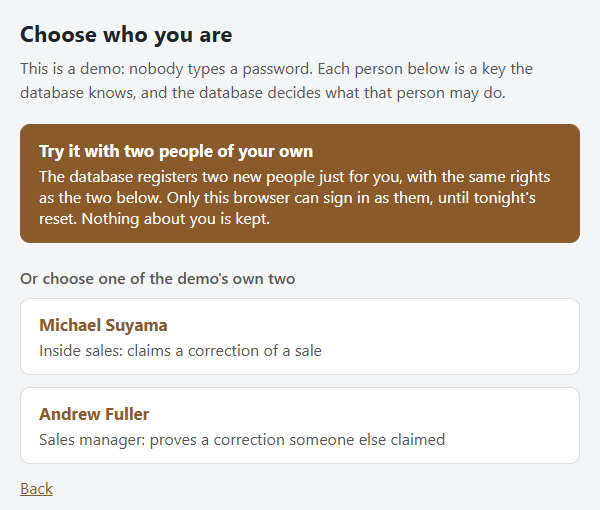
1. Sign in as the claimer
Press Sign in at the top of the menu and choose Michael Suyama, from inside sales. Michael Suyama may claim a correction of a sale, but may not prove one.
Or press Try it with two people of your own: the database registers two new people just for you, a Guest A who claims and a Guest B who proves, with the same rights as Michael Suyama and Andrew Fuller. Only your browser can sign in as them, and nothing about you is kept. Every step below works the same with them.
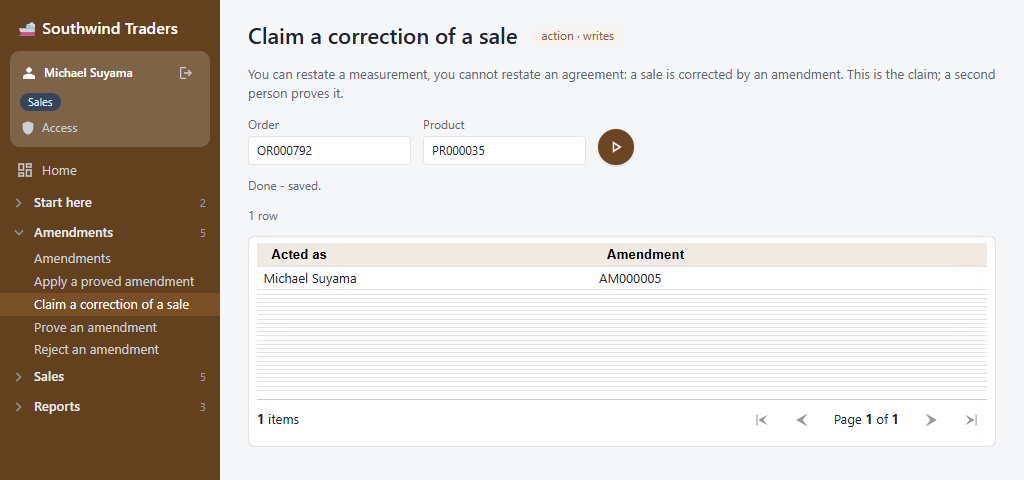
2. Claim a correction
Open Amendments, then Claim a correction of a sale. Type an order and one of its products, for example order OR000761 and product PR000034, and press the round button. The answer names who acted and the new amendment's code. If that line is claimed already, choose another: Sales, then Orders, lists them all.
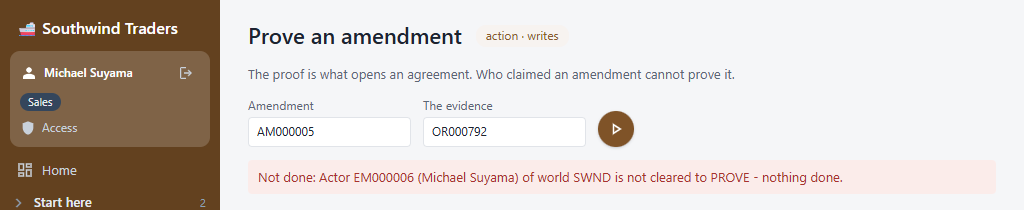
3. Try to prove it yourself
Open Prove an amendment, type the amendment's code and any evidence (the order's code will do), and press the button. The database refuses: Michael Suyama is not cleared to prove. Nothing is written.
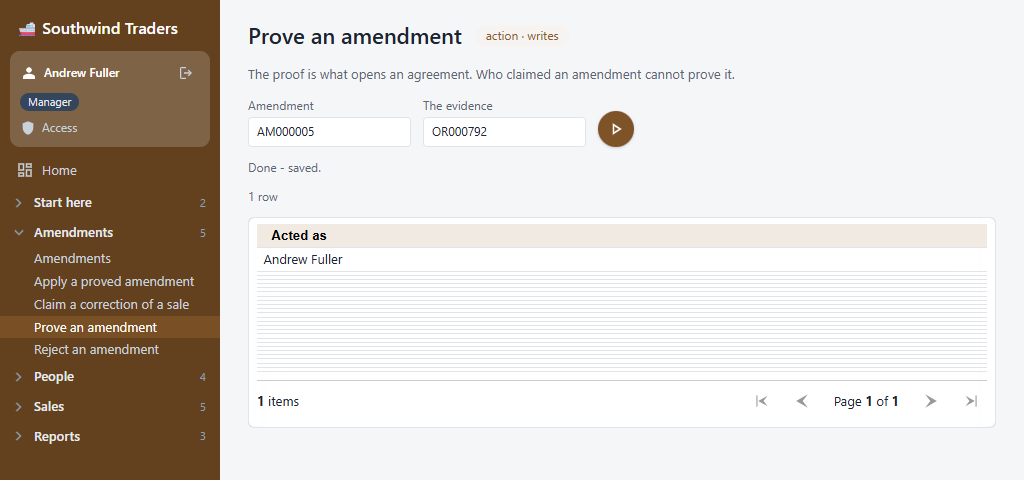
4. Sign in as the prover
Sign out (the arrow beside the name at the top of the menu), press Sign in again and choose Andrew Fuller, the sales manager. Prove the same amendment. This time it is done, as Andrew Fuller.
5. Read the file
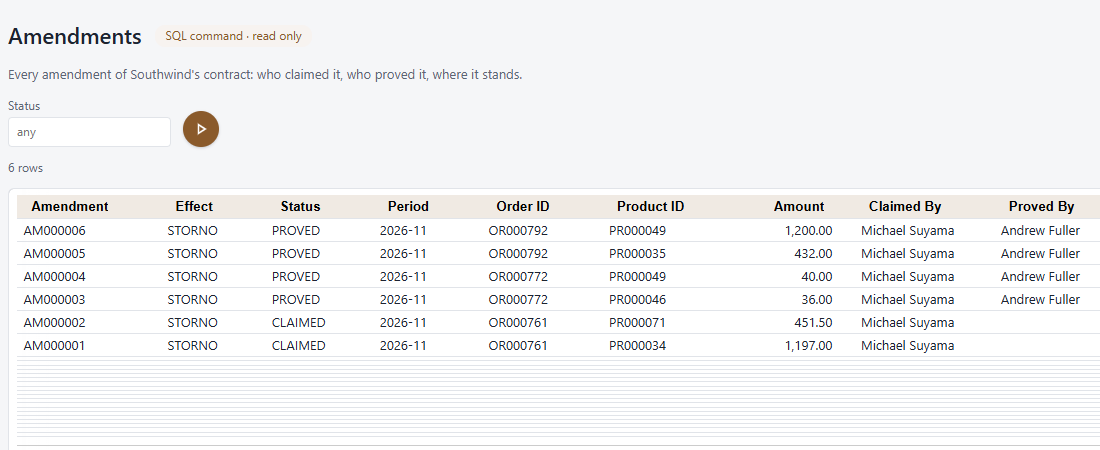
Open Amendments, then Amendments again. Your correction stands there, claimed by one person and proved by another. Look for a Delete button: there is none. Andrew Fuller may also apply the proved correction, which posts a reversing line; the sale and its reversal both stay on the file.
Reports
Signed in, open Reports: Southwind's reports, made by PRDW and printed as PDFs, each the same line for line as the live database prints it. Each person sees the reports their work needs. They show Southwind as the demo starts each day, so what you change here is not in them.
The demo starts fresh every night, so try anything you like.